You're in the zone. Octomind is running an agent task. Claude has the architectural context. You can see the fix.
But you have to type it. Every word. Every thought. While your hands are on the keyboard, you're not thinking about the problem — you're thinking about typing.
This is the bottleneck nobody talks about. AI coding tools removed the syntax barrier. You can describe what you want in natural language and get working code back. But the input channel is still a keyboard. Your thoughts arrive at LLM speed. Your fingers arrive at typing speed.
That gap is where Vext comes in.
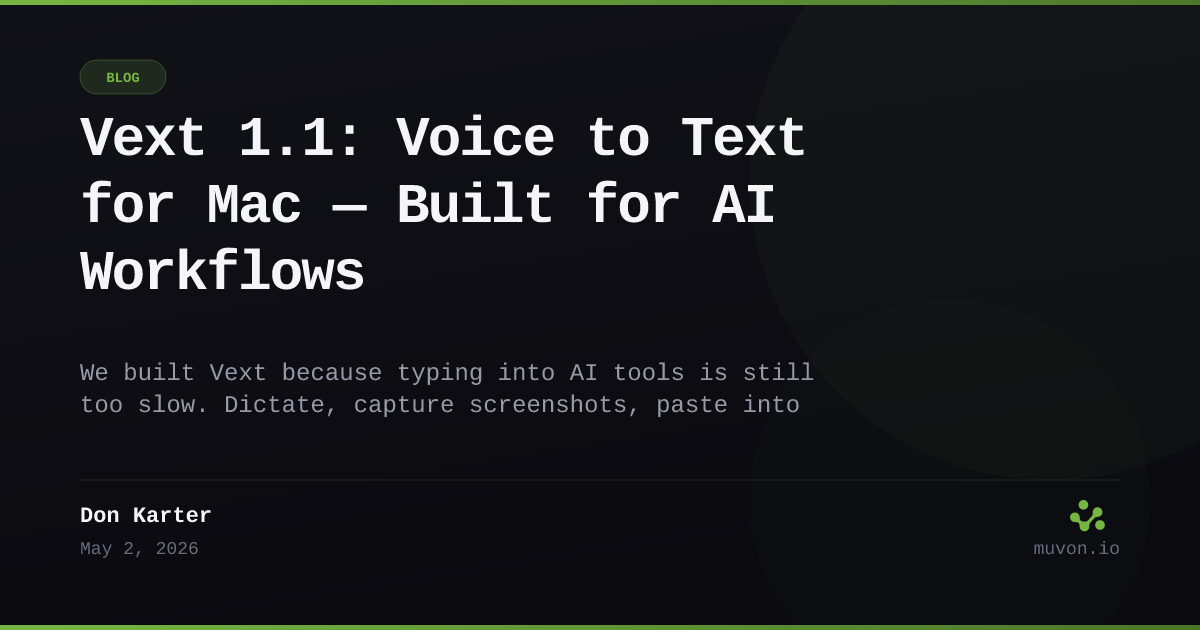
Vext 1.1 is voice-to-text for Mac that works everywhere — and it's built specifically for how we work with AI. Hold a key, speak naturally, release. Your words appear at the cursor, cleaned up and ready to go. No cloud, no subscription, no account. $24.50 once, forever.
The Problem Was Us
Let me back up.
We spend most of our day in our own tools. Octomind for agent runs. Claude for architecture decisions. Claude Code for refactoring. Cursor for implementation. Codex for quick scripts. The usual stack for a builder studio that ships like a team of thirty.
And every single one of them shares the same bottleneck: typing.
You can describe a complex refactor in 10 seconds. It takes 90 seconds to type. That's 80 seconds of friction per thought. Across a day of heavy AI interaction — 50, 60, sometimes 100 prompts — that friction adds up to hours.
We tried the existing voice tools. Most are transcription-only — they dump raw words with filler, no cleanup, and you still have to edit before sending to the LLM. The ones that clean up are cloud-based, requiring accounts, subscriptions, and uploading your audio somewhere.
And none of them handled screenshots. Which brings us to the workflow that actually matters.
Voice + Vision, Hands-Free
The feature we built first wasn't dictation. It was the screenshot workflow.
Here's the problem: when you're using Claude Code or Cursor to debug something, you frequently need to show it what's on screen. An error message. A UI rendering issue. A terminal output that won't copy cleanly.
Normally that means: grab mouse → select region → save file → drag into chat → type context. That's five steps. You break flow every time.
With Vext, you hold the hotkey, drag a region, and keep talking. The screenshot pastes alongside your transcribed prompt — in one shot. Octomind, Claude Code, Cursor — all get the visual context and your instructions simultaneously. Your hands never leave the keyboard.
We call this voice + vision mode. It's the thing that makes Vext different from every other dictation tool on the market. Because the goal isn't just to replace typing. It's to remove every micro-interruption between thought and action.
Two ways to dictate. Standard mode: hold the hotkey, speak, release. Hands-free mode: press once to start, speak freely, press again to stop. Perfect for longer passages or when your hands are occupied — like reviewing code while describing the fix out loud.
Audio ducking. Start recording and Vext automatically fades your system audio so your voice cuts through. Release the hotkey and volume returns to normal. No manual slider adjustments mid-meeting.
The Architecture of Trust
Every voice tool we evaluated sends your audio to the cloud. Whisper runs on OpenAI's servers. Wispr Flow uploads to their backend. Otter records and processes everything remotely.
Vext does none of that.
Whisper runs directly on your Apple Silicon GPU. All processing — speech-to-text, AI cleanup, translation, summarization — happens on your Mac. No audio is ever uploaded. No transcripts leave your machine. There's no account to create because there's nothing to store on our end.
This isn't a policy we wrote. It's the architecture.
We ship multiple models with the app. Parakeet (NVIDIA's NeMo) runs 150× faster than real-time on M-series chips — that's the default for speech-to-text. Gemma 3 4B handles cleanup and summarization locally. Don't like those? Swap to Apple's built-in dictation for zero download, or pick from Qwen 3 (strong multilingual), LLaMA 3.2 3B (general purpose), or Phi-3.5 Mini (compact, strong reasoning). You can even bring your own API key and use OpenAI-compatible cloud models. The choice is yours — but the default is private.
We built it this way because we use it this way. Our conversations with AI tools contain architecture decisions, business logic, client information. We're not sending that to another server just to get text input.
Three Modes, One App
Vext 1.1 works in three distinct modes, all sharing the same local engine:
Dictation — Hold a hotkey, speak, release. Text appears at your cursor in any app. Browser, terminal, VS Code, Slack, Claude, Cursor. Every text field is a target.
Meetings — Record any call — Zoom, Google Meet, FaceTime, or in-person — and get a full transcript with speaker identification, timestamps, and per-speaker breakdowns. Turn on Summarize to extract key points and action items. The raw transcript is always preserved alongside the AI summary — you never lose the original. And no bot joins your call. Vext captures system audio + microphone locally; there's no third party connecting to your meeting.
Voice Notes — Quick remarks transcribed, cleaned, and stored locally. No app switching. Works from anywhere on your Mac.
All three modes use the same cleanup pipeline: filler words stripped, structure clarified, intent preserved. What you say and what gets pasted are different things — the pasted version is what you meant to say.
Label Speakers Once. Recognized Forever.
Name a voice once and Vext never asks again.
Vext detects every distinct voice in a recording automatically. Name them once — "Sarah", "Alex", "Jack" — and from your next call onward, the same person is identified, labeled, and color-coded without lifting a finger.
It works across meetings. Name a contractor in Monday's standup. Wednesday's planning call? Vext knows their voice. No re-labeling. No "Speaker 1" noise. The transcript shows color-coded chips so you can scan who said what at a glance.
We use this daily for our own standups. Ava (our AI collaborator) gets labeled consistently. We can scroll back through weeks of recordings and find exactly who made which decision. Sounds minor. It's not.
The Economics of One Price
| Vext | Wispr Flow | Granola | Otter.ai | |
|---|---|---|---|---|
| Price | $24.50 once | $12–15/mo | $14–35/mo | $8–17/mo |
| Cost after 2 years | $24.50 | $288–360 | $336–840 | $200–408 |
| Local processing | ✅ | ❌ | ❌ | ❌ |
| Works offline | ✅ | ❌ | ❌ | ❌ |
| Speaker recognition (cross-meeting) | ✅ | N/A | ✅ | ❌ |
| Screenshot capture | ✅ | ❌ | ❌ | ❌ |
| Auto-paste screenshots to AI | ✅ | ❌ | ❌ | ❌ |
| No bot joins your call | ✅ | N/A | ❌ | ❌ |
| YOLO mode (auto-submit) | ✅ | ❌ | ❌ | ❌ |
$24.50. Once. No hidden tiers. No "pro" plan that removes limits you didn't know existed.
You get 100 free dictations, 50 notes, and 10 meeting recordings to try everything risk-free. Then it's one price, unlimited use, forever. Free updates within the current version. Major new versions at 50% off for existing owners.
We don't do subscriptions because we don't need recurring revenue to maintain a Mac app. Vext processes everything locally. There are no server costs to amortize. No cloud bills to pass on. You buy it once, and it works.
What Early Users Are Doing
We've been running Vext internally since April. Here's how it gets used:
Debugging with Claude Code. Open the terminal, hold the hotkey, describe the bug WHILE looking at the error. No switching windows. No copy-paste. The error is in your words, the fix is in your terminal, and you never broke eye contact with the code.
PR descriptions. The worst part of development. Now: hold hotkey, walk through the changes out loud, release. A cleaner, structured PR description appears in the text field. YOLO mode submits it automatically.
Meeting summaries that don't suck. Record a 45-minute architectural discussion. Get speaker-labeled transcript, key points, and action items — without a bot joining your call. Vext captures system audio and microphone simultaneously; no third party ever connects to your meeting.
Agent debugging with Octomind. An Octomind agent gets stuck on a flaky test. Hold the hotkey, describe what you see, drag the error trace. The retry prompt includes full visual context. No tab-switching. No copy-paste. The agent finishes the task while you move on to the next one.
Live translation in real time. Speak English, get Russian at the cursor. Or Spanish, Japanese, French — 99+ target languages. The transcription and translation happen in one pass, locally. Same hotkey workflow.
What's Coming
Vext 1.1 ships today with everything described above. We have a roadmap that includes:
- iOS companion app for dictation-on-the-go that syncs locally
- Custom voice commands for app-specific actions
- Deeper integration with the Muvon agent ecosystem (Octomind + Octobrain)
But the core — local-first, privacy-by-architecture, no subscription — that's not changing.
FAQ
What is Vext?
Vext is a voice-to-text app for Mac that runs entirely on your machine. Hold a hotkey, speak, release — your words appear at the cursor in any app, cleaned up and ready to send. No cloud, no account, no subscription. $24.50 once.
Does Vext send my audio to the cloud?
No. Speech recognition (Whisper, Parakeet), AI cleanup (Gemma 3, Qwen 3, LLaMA 3.2, Phi-3.5), translation, and summarization all run locally on Apple Silicon. No audio leaves your Mac unless you explicitly bring your own OpenAI-compatible API key.
Which Macs does it support?
Apple Silicon (M1, M2, M3, M4). Parakeet runs about 150× faster than real-time on M-series chips.
How does Vext compare to Wispr Flow, Granola, or Otter.ai?
Vext is one-time $24.50; Wispr Flow runs $12–15/month, Granola $14–35/month, Otter.ai $8–17/month. Two-year cost: $24.50 vs $200–840. Vext is the only one that processes everything locally, works offline, and pastes screenshots alongside dictation.
Does a bot join my meetings?
No. Vext captures system audio and microphone locally. No third-party service connects to Zoom, Google Meet, or FaceTime. The recording stays on your Mac.
Can I use my own AI provider?
Yes. Vext supports any OpenAI-compatible API (OpenAI, OpenRouter, local Ollama, custom endpoints) for cleanup and summarization. The default ships with local models so you don't need a key to start.
Does it work in any app?
Yes. Any text field on macOS — browser, terminal, VS Code, Slack, Claude Desktop, Cursor, Codex CLI. Vext pastes at the cursor.
What languages does it support?
99+ languages for transcription and translation. Speak in one language, get text in another, in a single pass — locally.
Try It
Vext is available now at getvext.app. Free to try — 100 dictations, 50 notes, 10 meetings. No account required. No data collected.
# Or if you prefer the terminal
brew install muvon/tap/vext
Launch promo: 50% off with code VEXT50 through June 1. $24.50 once, forever.
We built this because we needed it. Every tool we use — Octomind, Claude, Codex, Cursor — got faster the moment we stopped typing and started talking. If you spend your day in AI tools, you will too.
Your voice never leaves your Mac. Your thoughts arrive at LLM speed. And the keyboard becomes optional.